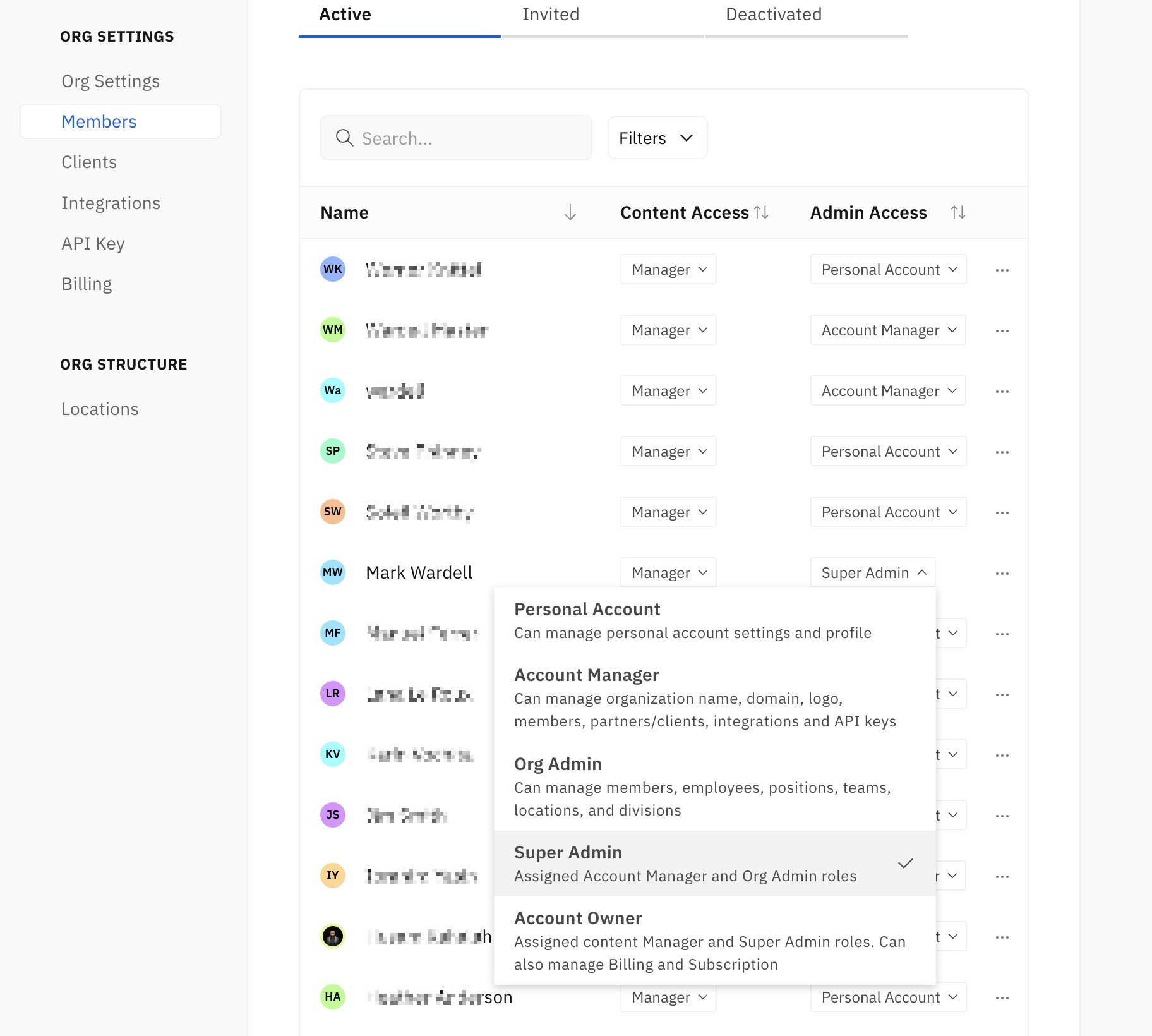
Updated user account access and role settings
Account access and role settings have been updated. Access is managed from the Members settings. Account Owners, Account Managers, Org Admins have the permission to change member access. Content access Viewer - the viewer content access role allows the member to view documents but cannot create or edit documents. Editor - the editor content access role allows the member to create and publish documents and with permission edit other documents in the repository. Manager - the content manager role grants the member edit access to all published documents. They do not need to be invited to a published document in order to be allowed to edit. Admin access Personal account - the personal account admin access role grants the member permission to edit only their profile or personal account information Account manager - the account manager admin access role grants the member permission to manage the organization name, logo, subdomain, members, partners, integrations, and API keys. Org admin - this new admin role grants the member access to the upcoming org structure settings (employees, positions, teams, locations, and divisions). Super admin - grants Account manager and Org admin roles to the member Account owner - assigned content Manager and Super Admin roles. They account owner can also manage billing and subscription for the Klarify account.