NEW: AI generated BPMN labels
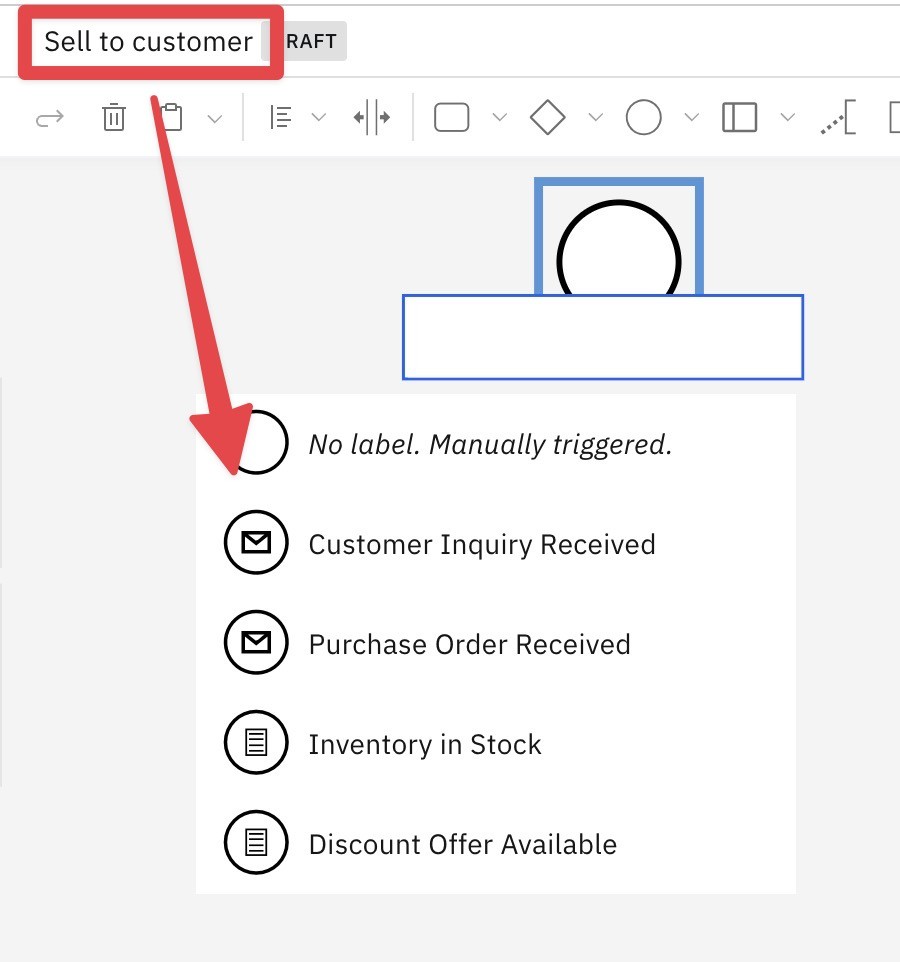
Generate labels for your Klarify BPMN models with AI. Click the magic wand icon in the context menu of the BPMN element and AI will generate suggested labels for the current element. How it works Context: Only the current process model is used as context for generating labels. Context includes the process title, all upstream elements, and when working with gateways, the current gateway label and all the other conditions and resultant actions Start events Start events in the root process use the context of the process label. The first unlabeled option can be used for manually triggered processes. Two message start event labels and two conditional start event labels are also generated. These, along with timer start events are the most commonly used start event types. To generate a label for a different type of start event, first select that start event type and then click the magic wand. Start events in an event supborcess use context from the parent process, the label of the event subprocess, and the start event type to suggest labels End events End event labels are generated to define process outcomes or end state given the current process label and the upstream path to the current end event The output of the process can be defined in a message flow Activities Tasks and subprocesses use all downstream elements and the process name as context for generating an appropriate label for the current activity. Boundary events Boundary events define various exception states for your process. AI can help you identify various exceptions that might occur at the activity level. Gateways For exclusive gateways, AI will first generate a label for the gateway, then for 2 conditions, and finally for each of the resultant tasks from each condition. For inclusive and complex gateways, AI will generate a lable for the gateway, then for each condition, and finally for each of the resultant tasks from each condition. Unlike exlusive gateways, conditions are not mutually exclusive.